
 Louie · September 25, 2026
Get Started: Connect Your Sales Channels
What Are Sales Channels?
In Customthings, every place you sell is a Sales Channel. Your Customthings online store (the built-in H5 storefront) is one channel. Your Shopify store is another. Your Etsy shop is another. They all live side by side under Sales Channel in the left sidebar.
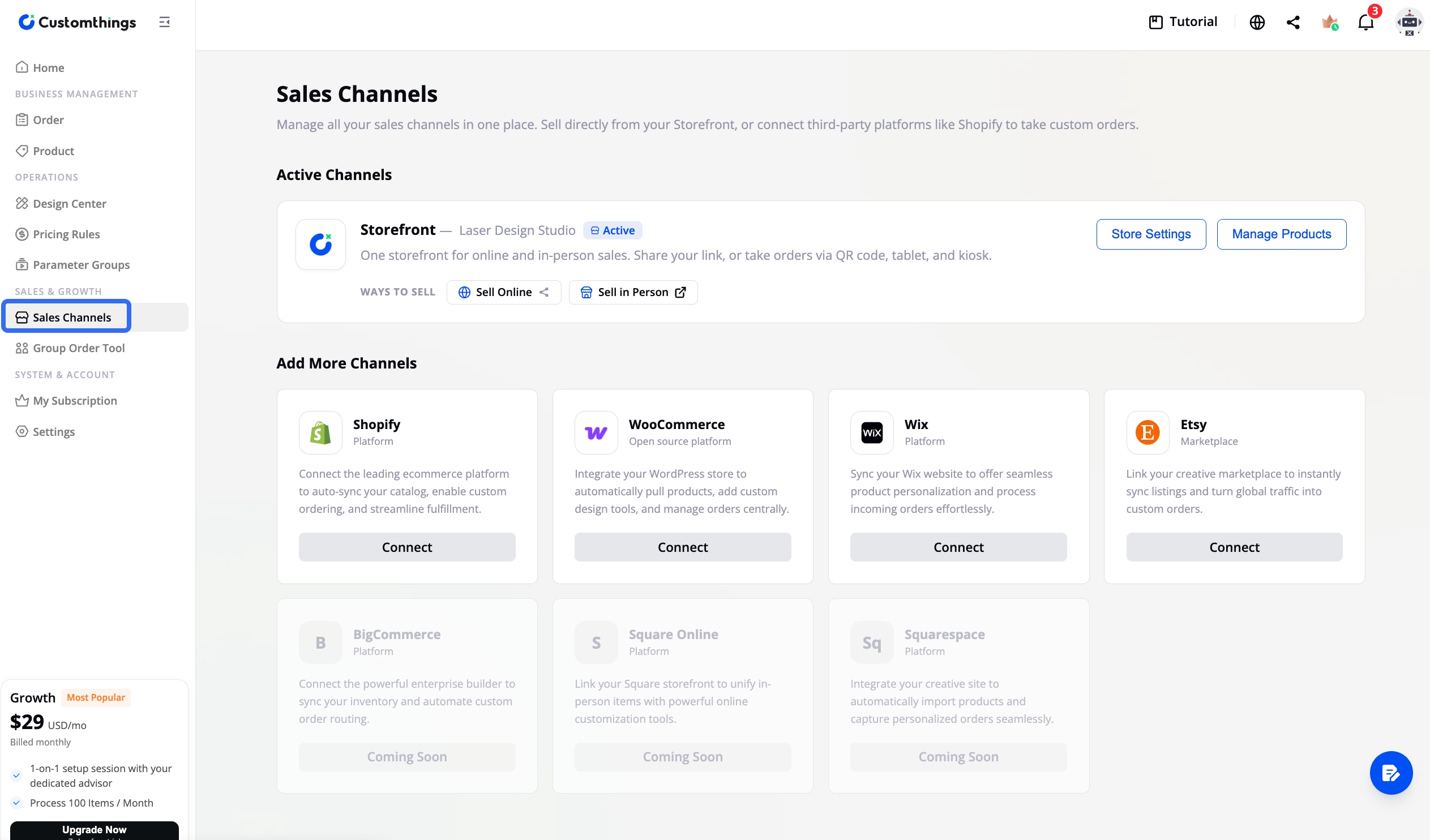
The Product page has a channel switcher in the top-left corner. Switch between channels to see and manage only the products for that store. This replaces the old system where you had to maintain two separate product catalogs and map them together.
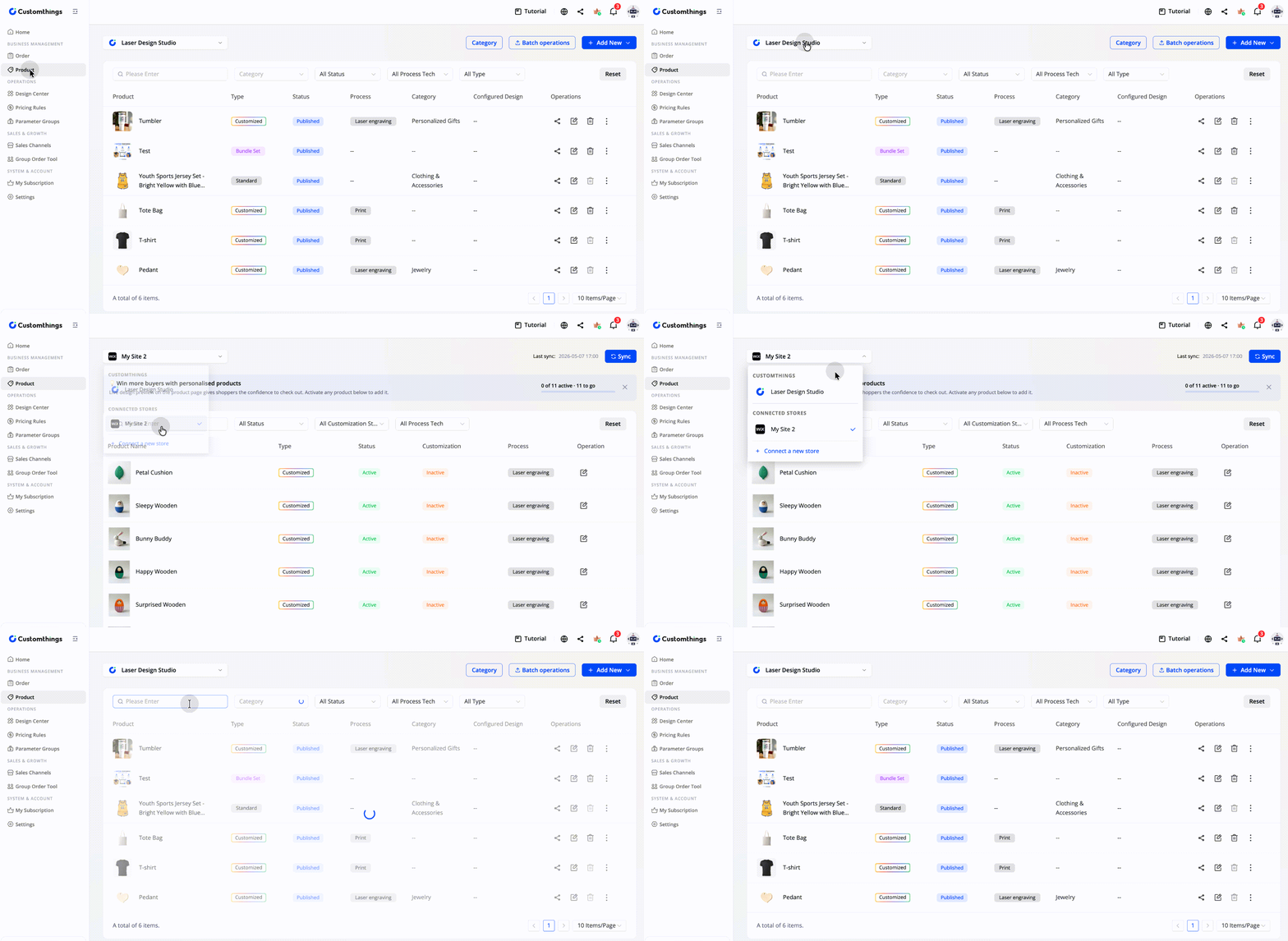
Go to Sales Channels in Customthings →
Supported Platforms
- Shopify
- Etsy
- Wix
- WooCommerce
How Integration Works
Step 1: Connect Your Store
Go to Sales Channel in the left sidebar and select your platform. Install the Customthings plugin on your e-commerce platform (or authorize access for Etsy), then complete the connection from your Customthings dashboard.
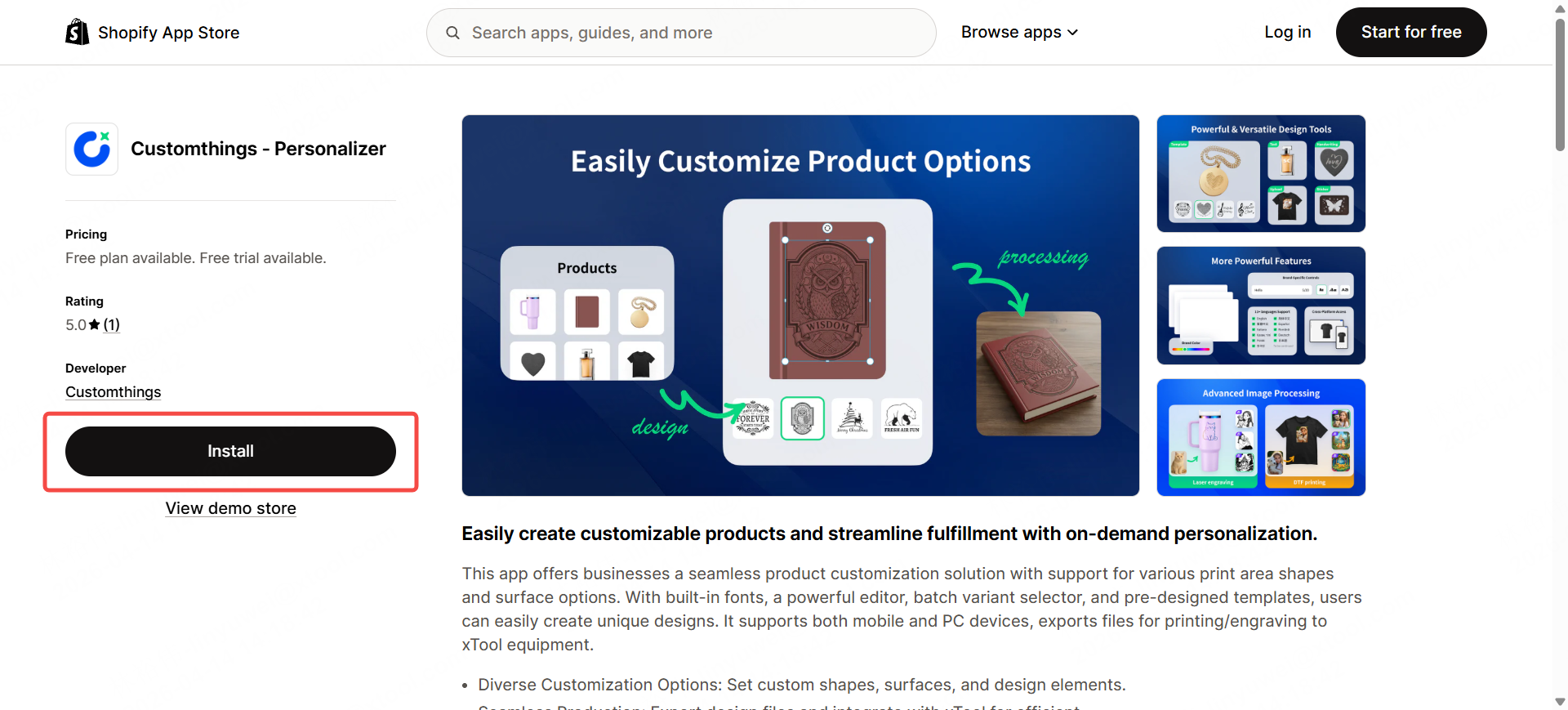
Once connected, all your products from that platform automatically appear in Customthings. No manual sync needed. No product mapping needed.
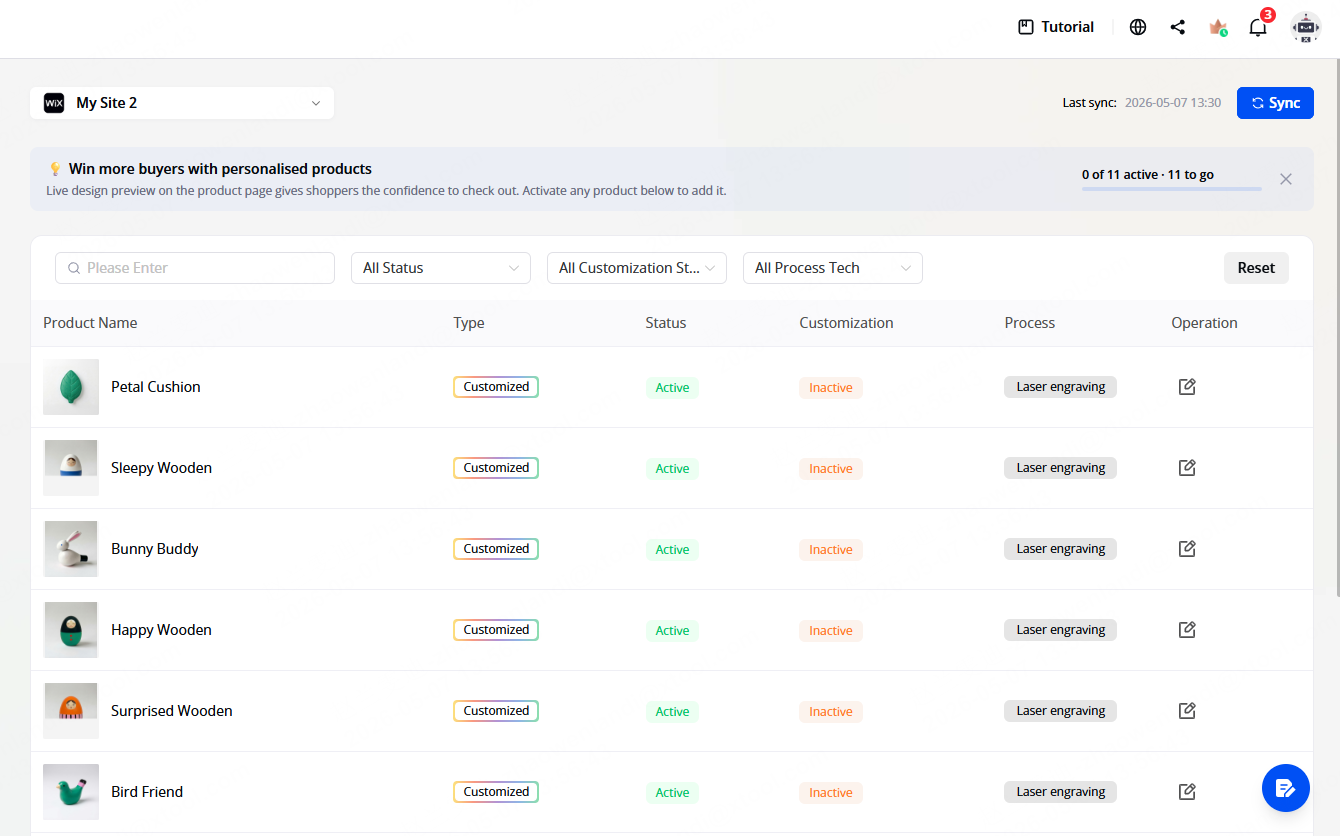
Step 2: Configure Customization
What It Looks Like for Customers
Platform | Customer experience |
|---|---|
Shopify | The customization editor appears directly on your product listing page. Customers personalize, then add to cart and check out normally through Shopify. |
Etsy | After an order is placed, copy the customization link from the Order page and manually send it to the customer via Etsy Messages. Automated email delivery is coming soon. |
Wix & WooCommerce | Similar to Shopify — plugin-based embed into your product pages. |
Do I Need This If I Only Use the Customthings Store?
Important: Creating New Products for Third-Party Channels
Currently, you can only create new products directly in the Customthings online store channel. For Shopify, Etsy, Wix, and WooCommerce, create the product on the platform first — it will automatically appear in Customthings for customization configuration. Reverse write-back is not yet supported.
Connect your sales channel in Customthings Now→
Tips
- Shopify offers the smoothest experience — the editor embeds directly into the product page, so customers never leave your store.
- You no longer need to maintain two product catalogs. Connect your store once and your products appear in Customthings ready to configure.
- Orders from all channels land in one place. Whether a customer orders through Shopify, Etsy, or your Customthings store, every order appears in your Customthings Orders dashboard.
Related Guides → Get Started: Set Up Your Customthings Online Store
Platform integration guides:
- Install Customthings in Your Shopify Store
- Customthings Etsy Integration Guide
- Customthings Wix Integration Guide
- Customthings WooCommerce Integration Guide
Next up → Manage Orders & Start Processing